

Using keywords correctly in a blog post is critical to optimizing your content. Even after thorough keyword research, many writers fail to capitalize on their work because they don’t know how to use keywords in a blog post.
But using keywords doesn’t mean you should add keywords in a blog like sprinkling oregano on Pizza- “anywhere”. Without proper keyword placement, you might end up with keyword stuffing, which can hurt your ranking and chance to grow.
To make things easier and harness the true power of keyword research, I have crafted this blog post as your ultimate guide to using keywords correctly in a blog post.
Table of Contents
What Are the Different Types of Keywords?
If you have searched for “how to include keywords in a blog post,” you must be aware of what keywords are. Therefore, there is no need to discuss its definition.
But you should be clear about the different types of keywords, as without this, you can’t use them properly.
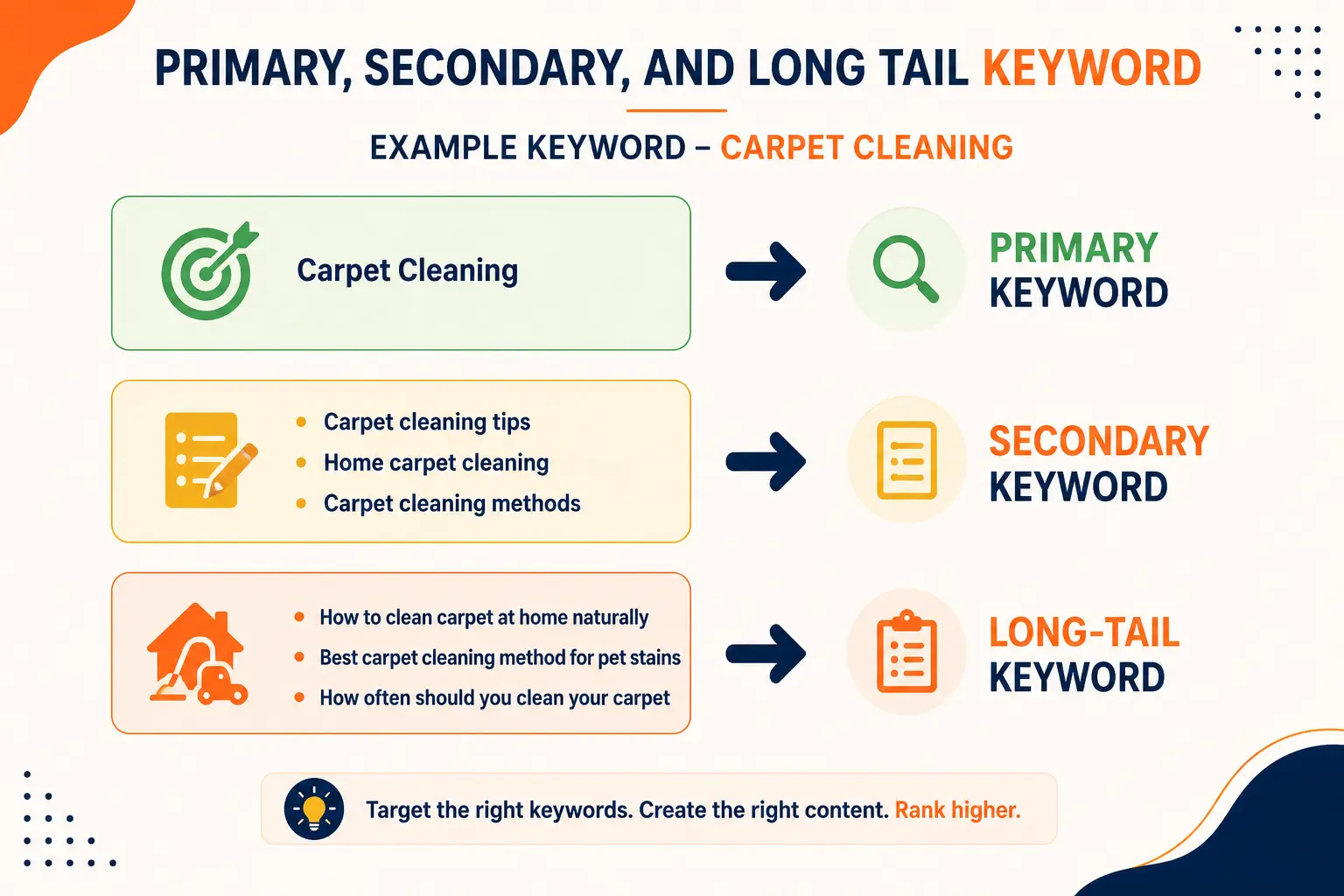
✅ Primary Keyword – Also known as the focus keyword or seed keyword, the primary keyword represents the core topic of your content or the main term or phrase a blog post is designed to rank for. For example, “SEO Writing” can be your primary keyword.
✅ Secondary Keyword – These are subtopics or related phrases that support the main keyword. It helps in making the search engine understand the context of the blog post. If “SEO Writing” is the primary keyword, then “SEO Writing Examples” can be your secondary keyword.
💡Important– You need to focus on all three types of keywords while drafting a blog post.
✅ Long- Tail Keyword – These are specific, niche-based search phrases that have more than three words. If “SEO Writing” is your primary keyword, then “Basics of SEO Writing for Beginners” can be the long-tail keyword.
Why are Keywords Important in a Blog Post?
Let’s understand this with an example.
When I search for the topic search intent on Google, the first blog that I see is from Semrush.
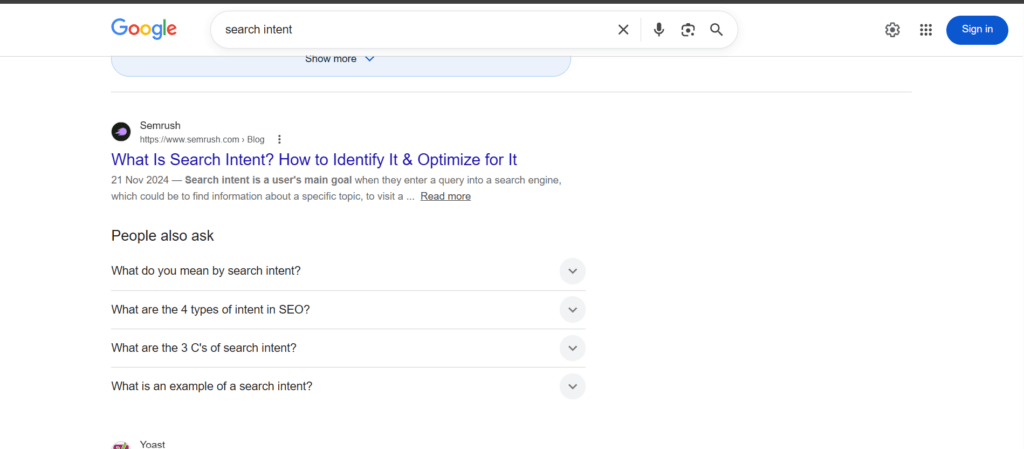
You can already see in the image that their title tag and meta description have the keyword “search intent”. But that’s not the only reason why Google is showing me Semrush at the top for the keyword “Search Intent”.
When I click on their blog post, I can see that they have naturally used the keyword throughout the content.
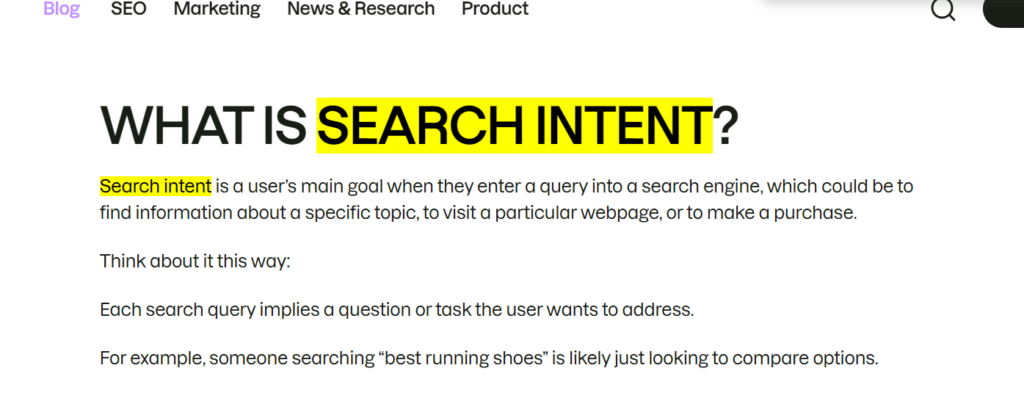
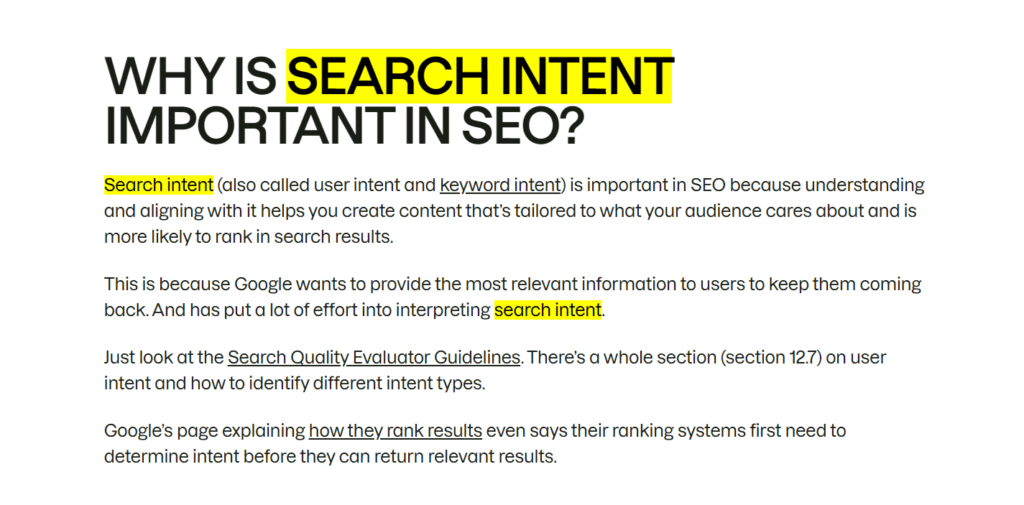
So, when I hit the search button on Google with “Search Intent” in its search bar, Google goes through millions of blogs on the internet and then picks the one that uses the keyword properly in its content.
Google uses keywords to determine whether a blog post is relevant to the query. If the keyword searched by a user matches the one used in the blog post, Google will push it up in the search engine results.
Although there are other factors that contribute to Semrush ranking at the top of the page, that will be a discussion for another day.
The use of keywords is not limited to Google; it also helps the user believe that the blog post I am about to click is relevant to my query.
How to do Keyword Research?
Before you learn how to add keywords in a blog post, it is necessary to learn how to find the right keyword.
To identify the keywords relevant to your blog post, start by brainstorming.
For example, if you are working for a company that deals in carpet cleaning services, then make a list of possible services the company offers, like
- Steam cleaning
- Pet stain removal
- Carpet cleaning
- Deep carpet cleaning, and many more
Now, these are your seed keywords, but customers rarely use industry jargon. So, now you have to think from a customer’s perspective and make a list of possible search queries a customer can use to find the service.
For this purpose, you can use the Google autocomplete feature
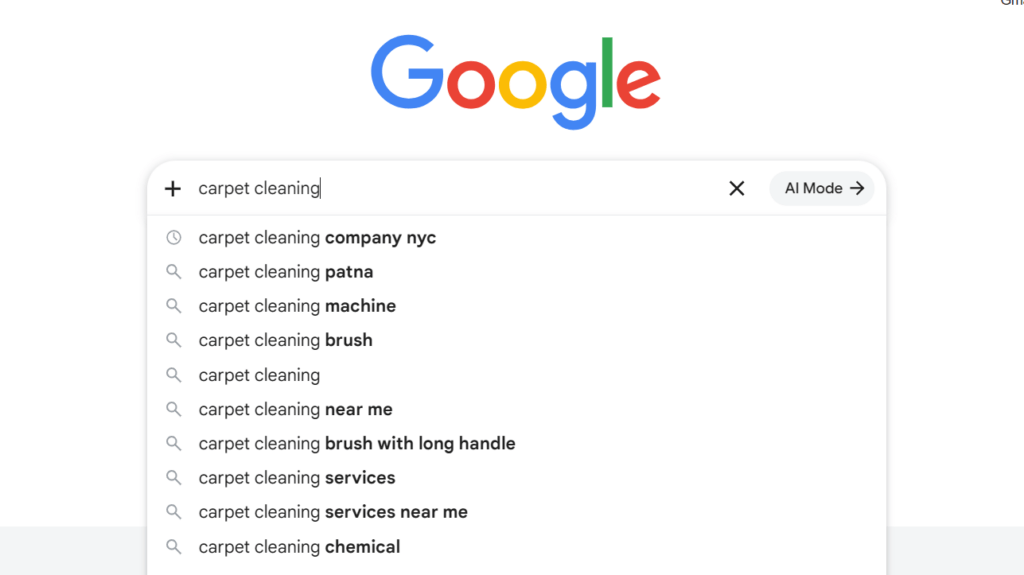
Now, make a list of keywords on the basis of locality, like
- Carpet cleaning near me
- Carpet cleaning Delhi
- Carpet cleaning Noida
You can also use keyword tools like
These tools will help you find more related keywords. Now, your main goal is to divide all the keywords by intent: Information, Transactional, Commercial, and Navigational. Among these, the informational ones will be the best for blog posts and SEO.
But don’t ignore writing blogs on commercial and transactional keywords as well, because these blogs will help you convert visitors into customers.

Finally, build a keyword cluster. In a keyword cluster, there would be one seed keyword and supporting keywords. For a blog post, you can use keywords from a single cluster.

Where to Put Keywords in a Blog Post?
Now that you have a group of keywords that can be used in a blog post, you must master the art of keyword placement in a blog post.
Many writers think they have to use keywords only in the content, but that’s not true. There are 10 important parts of a blog post where you should use keywords for better SEO results.
Here are the top 10 places to use keywords in a blog post-
✅ Heading – Make sure to use the keyword once in the heading (H1) of the blog post, but don’t make it look forced. Keywords in the H1 help Google understand the context of the blog post.
✅ Title Tag – This is the title that appears in the search result, and it should also have your keyword or at least keyword intent. Make sure to use it only once in the title tag.
✅ Introduction – The keyword should appear within the first 200 words of the blog post. Apart from SEO benefits, it even makes the reader believe that he is in the right place.
✅ H2, H3, H4 – if possible, try including the secondary keywords, long-tail keywords, and keyword intent in your subheadings like H2, H3, or H4. It helps readers skim your blog and allows Google to understand the relevance and structure of your blog post.
✅Alt Text – It is the text description of the images included in a blog post, and thus, it becomes a great spot to harness the power of your keywords. Make it look natural and don’t repeat.
✅ Anchor Text – These are the texts that are hyperlinked either externally or internally. If it looks natural, try using your cluster keywords in the anchor text as well.
✅Meta Description – It’s the HTML tag that you see below the heading of blog posts in search results. Make sure your keyword appears in the search results, as it improves the relevance of your blog post to that keyword.
✅ URL – When you use the keyword in the URL of your blog post, it sends a direct message to Google about the context and topic of the blog post. Use it once and make it look natural.
✅Throughout the Body – The keyword should also appear throughout the body of your blog post. But never make it look forced; it should always appear natural.
✅Conclusion – This is an overlooked aspect of keyword placement in a blog. Using a keyword in the conclusion is the perfect way to end your ideally optimized blog post.
How Many Keywords to Use in a Blog Post?
You are done with the “Where” part of keywords in a blog post, and now it’s time to move to the “How many” part.
What if I use fewer keywords in my blog post? What if I overuse keywords in my blog post? These kinds of questions usually appear in the minds of writers, and that’s why knowing the right number is necessary.
Don’t overdo the primary keyword
You have found your primary keyword, made a keyword cluster, and even know where to use them, but do you know “How many times you should mention the primary keyword in a blog post?”
The primary keyword should appear 5-10 times in a 1000-word blog post, no more. The primary keyword should also be spread evenly throughout the content. It shouldn’t appear 7 times at the beginning and then 3 times at the end. Try to repeat the keyword after every 100-200 words.
Add Related Secondary Keywords
Since secondary keywords are typically 4-5 or more, try using one secondary keyword only once or twice. The best use of secondary keywords is in H2, H3, or H4 headings. Look at the example below
When you use secondary keywords in the subheadings, it helps in
- Building topical authority
- Covering a long list of search queries
- Enhancing user experience
- Clarifies search intent
Never Focus on Exact Numbers
There are never exact numbers for keyword placement in a blog post.
Instead of thinking that I need to put 5 keywords in a 500-word blog post and 10 keywords in a 1000-word blog post, try to let the keywords come out naturally while writing. Then, if you feel like there are fewer keywords, try to find spots where you can add them naturally without overdoing it.
Common Keyword Mistakes Bloggers Make
Keyword Stufing
It is the overuse of keywords in a page or blog post to manipulate the search engine rankings. This practice used to work in the late 1990s and early 2000s. But now Google has become more refined in providing relevant content to users.
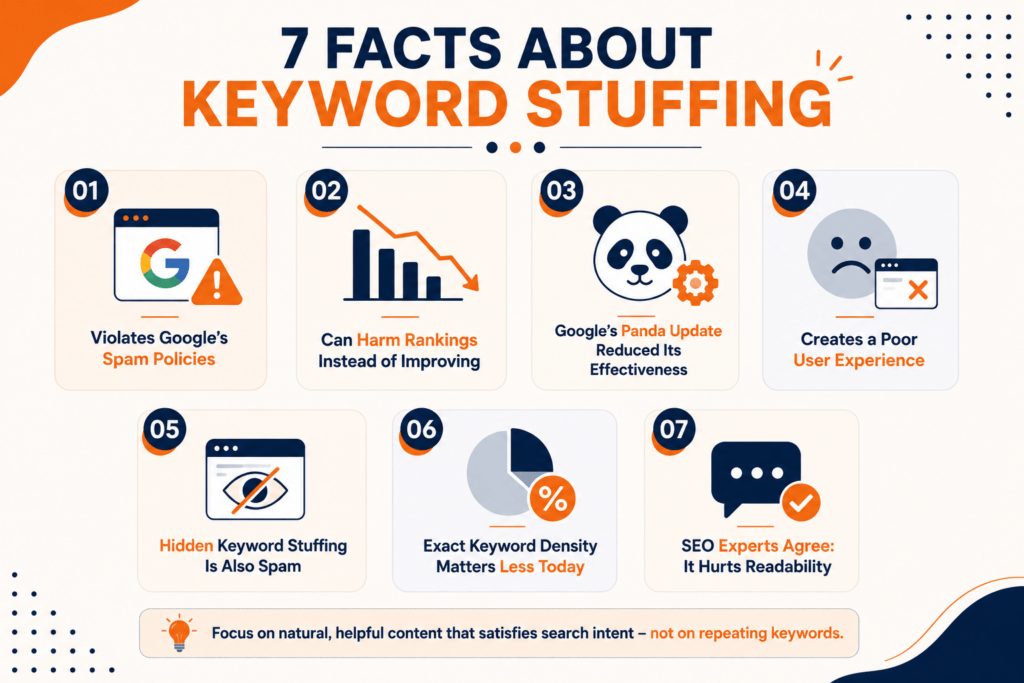
Nowadays, Google is smart enough to spot keyword stuffing and push such a blog post down in search results. Blog posts with too many keywords can face penalties from Google, and they ruin the user experience by hindering readability.
Ignoring Search Intent
If you research, find, and use your keyword for your blog post without understanding the search intent, all your efforts will go astray.
For example, if you are writing on the keyword “Why keywords are important in blog post”, the intent is clear
- Beginner-friendly tips
- Examples
- Best but basic SEO practices
- Keyword placement tips
But if your article includes subheadings like-
- Google algorithm
- Advanced SEO practices
- In-depth keyword research
Your blog won’t rank. So before using a keyword in a blog post, use this simple approach-
- Google the keyword
- Look at the top-ranking blogs
- Understand the intent by going through the blog structure
Using keywords forcefully
Never try to put keywords anywhere in your blog where it feels forced.
For example-
If you are working on the keyword “Dentist in NY” and you use it in a sentence like “If you are searching for a Dentist in NY, then Dentist in NY can be found online”
Even a person who has never heard about keywords can easily spot that there is something wrong with the sentence. So, always let the keywords come naturally, so they melt into the other sentences like butter melting into mashed potatoes.
To use keywords naturally in a blog post, you can use keyword intent, synonyms, or related words.
For example, instead of using the keyword “keyword in blog post” throughout your article, you can use
- Keyword placement
- Blog SEO keywords
- Keyword optimization
- SEO writing
- Keyword use in blog post
Conclusion
Blog post comes with numerous opportunity to unleash the brute power of keywords that can accentuate your SEO efforts. Keyword research is just a part of the process, you need to make the most of your researched keywords by putting them at the right place.
When you master the art of finding the right keyword and keyword placement, you harness the most powerful SEO skill that can help your surpass your competitors and improve ranking. So learn how to use keywords in blog post and win the neck-wrenching game of SEO.
FAQ
How many times should the primary keyword be mentioned in a blog post?
In a 1000-word blog post, the primary keyword shouldn’t be mentioned more than 5-10 times. Use the primary keyword in important places like-
- Title and H1 tag
- Introduction
- Meta Description
- H2,H3 or H4
- Throughout the body
- Alt Text
Should I use keywords in the heading?
Yes, you should always use keywords in both the H1 and the title tag. This gives a clear idea of the content’s context to both Google and the reader.
Why is keyword stuffing bad for SEO?
Keyword stuffing is considered an outdated SEO practice that is now sometimes penalized by Google. It is a method for manipulating search engine rankings, which Google no longer supports.




I never realized how much keywords can impact visibility like that. Do you have any tips for choosing them?