
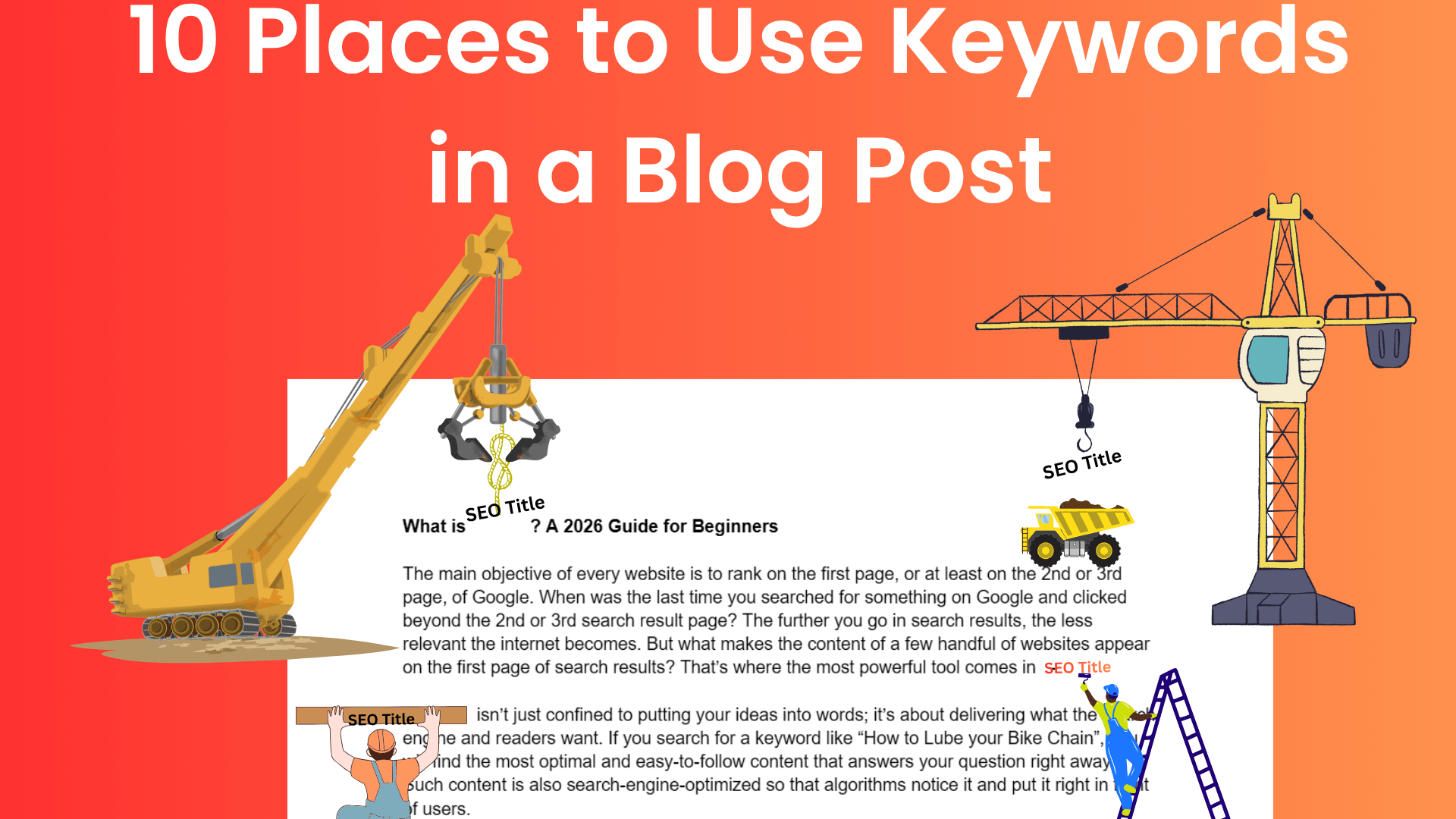
As an SEO content writer, you might have mastered the art of keyword research. And now, you are ready with a list of perfectly refined keywords that are used by your audience and are valued by Google as well. You think you are all set to kickstart your SEO game with the Excel sheet named “Golden Keywords”, but do you really know where to use these keywords?
Keyword research is a major part of your SEO content strategy, as it tells you about what people are searching for. It also tells you about the terms and sentences you can use and rank on Google search results. But the right placement of keywords is as important as keyword research. Just because you have the finest ingredients doesn’t mean you can bake a cake. You should also know how and where to use those ingredients.
Table of Contents
Why is Keyword Placement Important?
The use of keywords in the right place and in the right quantity is important because it helps both Google and the readers clearly understand what the blog post is about. For example, if you are writing a blog post on “Press release SEO tips” and use the title “Best ways to optimize your content”, there would be no match between the content and title. This will confuse both the readers and Google.
If someone searches for “cake recipe”, Google will go through content pieces that have the word “cake recipe” in it, not only in the title but at several places. The most relevant content with the right use of keywords and information will appear at the top of the search results.
Also, keyword placement helps Google understand the images you use in your blog post. Since Google doesn’t scan images the way we do, it scans the text behind them.
But which are the 10 parts of a blog post where you should always add keywords?
10 Parts of a Blog Post Where Keywords Should Be Used
1. Blog Title or H1
This is one of the strongest places to make the most of your keyword. Make sure your keyword appears naturally in the title of your blog post. For example, if your keyword is “tomato fertilizer”, you can craft a title like “Where to buy cheap tomato fertilizer”.
This will help Google understand the context of your blog post, and the chances of people clicking it when it appears in search results will also increase. Don’t repeat the keyword in the title; a single keyword will be enough.
2. URL
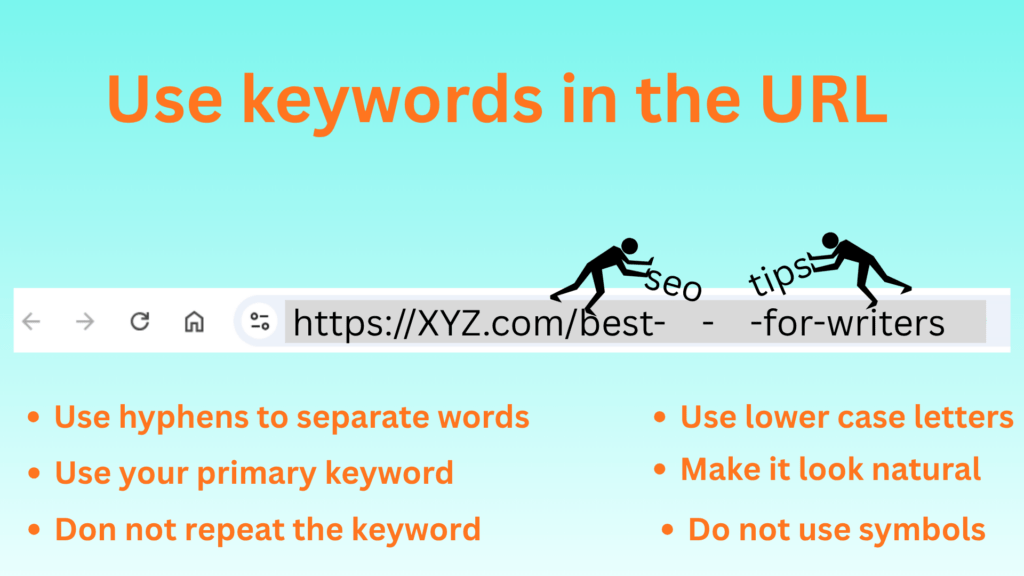
Using a keyword in the URL gives a direct signal to Google about the content of the blog post. Also, if your URL is descriptive, the click-through rate will also be higher because the user sees their searched keyword in your blog post’s URL, and the chances of them clicking on your blog post increase.
A keyword placement in the URL can look like this-
After writing the blog, make sure the keyword is in the URL before publishing. You can change the URL before publishing the blog in WordPress using tools like Yoast SEO.
3. Meta Description
The small descriptive paragraph you see below any blog or article in the search results is called the meta description. It gives the user an idea about the content, and this is the best place to use your keywords. But the meta description shouldn’t be more than 160 characters, so use your keyword smartly and only once.
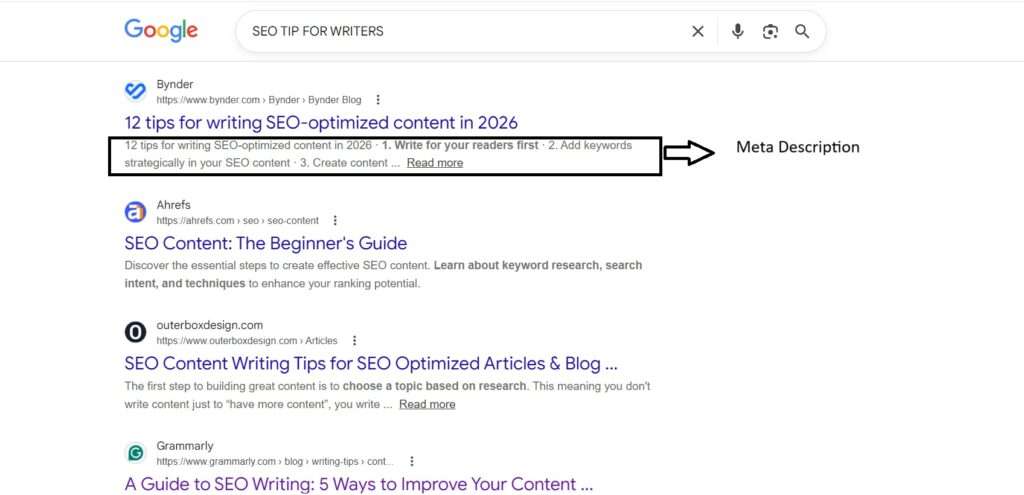
Inclusion of a keyword in the meta description makes your content more relevant. And since the first three things a user sees in a search result for your blog post are the URL, H1, and meta description, all of these parts should have your primary keyword.
4. Headings
Another strong part of your blog post where you can use the keywords is the headings. Whether it’s H2, H3, or H4. But what purpose does the use of keywords in headings serve? Well, it lets readers easily scan your article, highlights the main part of your blog post, and helps Google understand your blog post’s structure.

But it might not be possible to use keywords in every heading you use in your blog post. So, keep it natural and don’t try to force keywords in the headings. A forced keyword placement in a heading might look like this-
“Why are your tomatoes not growing tomato fertlizer”
5. Introduction
Never miss the opportunity to use your main keyword in the introduction of your article. Imagine you ask someone, “Which way goes to the station?” and he tells you after 3 minutes of speech. Will you be interested? No, and so does Google and the readers.
Keyword placement in your blog post’s introduction helps Google and readers immediately understand your topic. Try to use the keyword in the first 100 words of your blog post, as it helps the reader believe that they have found the right blog post.
6. Anchor Text
An anchor text is a clickable link within a blog post. If you have multiple blogs, you must use internal linking, as it gives Google a better structural understanding of your blogs and their importance. You must use your primary keyword in the anchor text as well.
When you use keywords in the anchor text, it gives Google an understanding of the topic of the other linked pages, which helps improve your ranking and authority.
7. Throughout the Body
This is the most common keyword placement that one learns about. The natural appearance of keywords within the overall content helps you improve topical consistency. But while doing so, many people end up stuffing their content with too many keywords.
Your keyword density shouldn’t be more than 1.5%. This means that if your content length is 1000 words, the keywords should not appear more than 15 times in the overall content.
8. Image Alt text
If you are using images in your blog post, you can always include alt text. This text helps Google understand what the image is about. So don’t forget to include your keyword in the alt text.
Another benefit of using keywords in the alt text is that when a person searches for images only using your keyword, your image will appear in Google Images.
9. Conclusion
Using keywords in the conclusion is another strong SEO move, yet it is mostly overlooked. Keywords in the conclusion help you reinforce the topic of your blog post to the Google algorithm.
This move finally completes your “keyword sandwich,” where keywords appear in the intro and at the end of your blog.
10. Title Tag
The title tag is the HTML title of your blog post and is used for search engine optimization. It is the title tag that Google uses to understand the topic of your blog post. It should be search-engine-optimized, and the best and simplest way to do this is to use your keywords once.
If you are using coding (which most content writers don’t), you can change it only there. If not, you can use WordPress or other SEO tools to change the title tag of your blog post.
Conclusion
The right use of keywords at the right place is the key to winning the keyword game. As a content writer, when you are writing a blog, you should know which parts of the blog should have your primary keyword; otherwise, your hard work behind the keyword research will go astray. But skip overdoing keyword placement, as it will negatively affect your ranking. Just keep in mind these placement of keywords is to inform both readers and Google about the topic and content of your blog post.
FAQs
Why is the proper placement of keywords important for SEO?
It’s important because proper keyword placement improves your click-through rate, relevance, and ranking.
What to keep in mind while using keywords in a blog post?
Although strategic keyword placement is necessary in a blog post, never compromise on relevancy and readability.
Can I use the same keyword in the title tag and H1?
Yes, you can always use the same keyword in the title tag and H1. However, in some cases, many websites change the wording of the title tag and H1 while keeping the keyword the same.
Should I use a keyword in the image description as well?
You can use a keyword in the image description if it fits naturally. But the use of keywords in image descriptions has almost no effect on SEO. Google uses alt text to understand an image.