Every aspect of your blog post plays a crucial role in its performance on search engine results. Whether it’s the meta description, anchor text, or the images you use. The same goes for the headings, which provide a refined structure for your blog post and give readers and Google a clear message about the content.
Without headings, your blog post will look like a plain wall of text, making it difficult to navigate and read. And that’s why most content writers focus on making their headings enticing, simple, and short to give a proper structure to the blog. But is this enough to harness the real power of your blog’s heading?
Writing a heading based on the readers’ perspective is just one side of the coin. The other side demands proper optimization, and that’s what we are going to learn here.
Table of Contents
What are Headings?
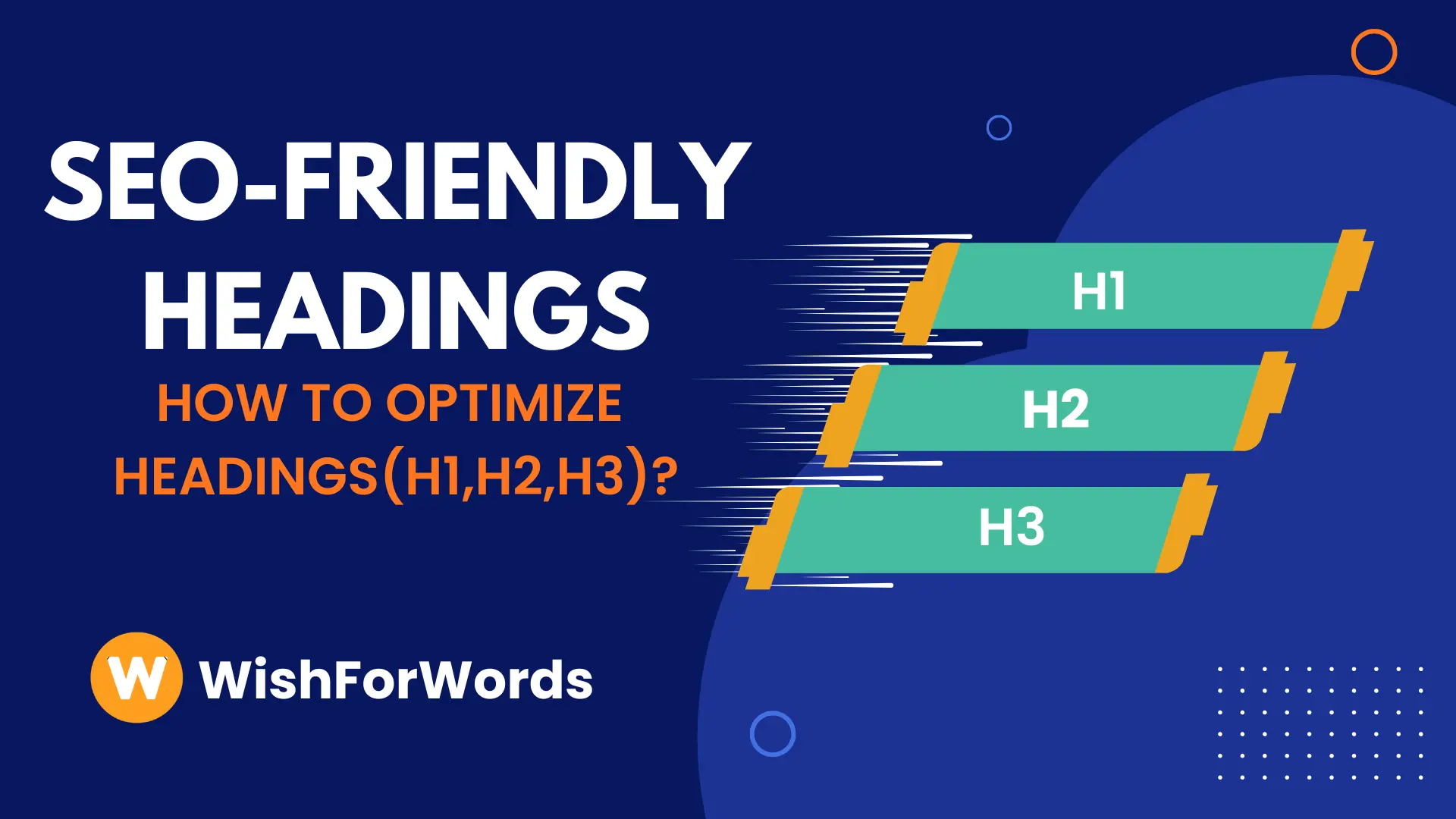
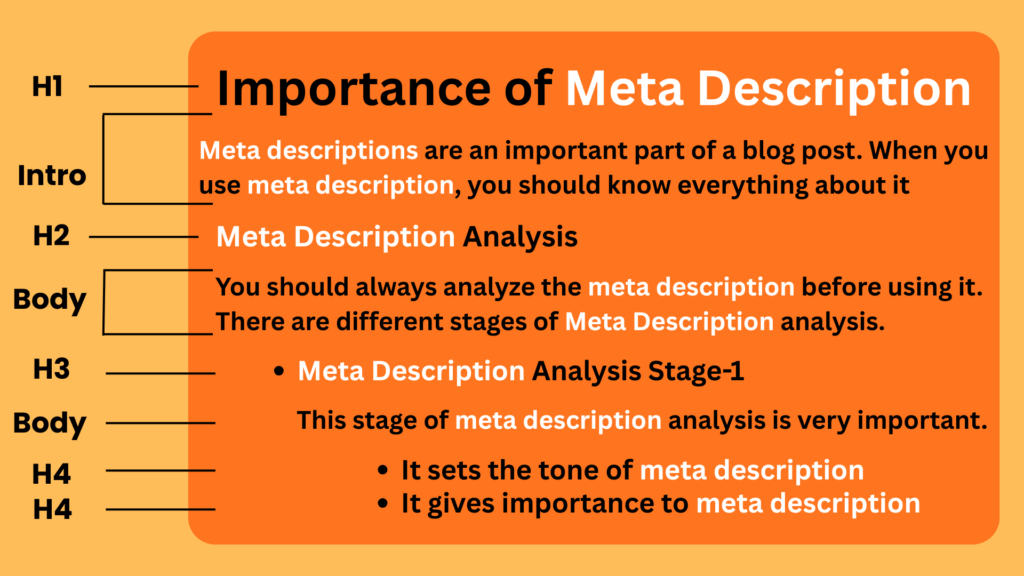
Headings are the HTML tags like H1, H2, H3, H4, H5 that are used in content to give a proper structure to your blog post. You can assign these tags yourself in WordPress or through code.
H1 is the main title of your content, followed by headings H2 that divide the blog into sections. Then all the subcategories under H2 are H3 tags. If you wish to check the headings in your existing blog post or content, simply press Ctrl+U, then search for H1, H2, or H3 by pressing Ctrl+F.
Why are headings important for SEO?
Headings help search engines understand what your blog post is about. The HTML tags (H1, H2, and H3) give your blog post a proper structure that Google uses to identify its different sections.
Search engines also love structured blog posts because they are easy for users and search engines to read and navigate. And since Google prioritizes content that is helpful, relevant, and seamless for readers, a structured blog post with proper headings is always ranked higher.
Without headings, users will have difficulty scanning your content, and, on top of that, it will not be considered easy to read. The result? Your blog post will never reach the top of the search results.
Apart from traditional SEO, which focuses only on keywords, headings also help content writers with semantic SEO, which focuses on the context and meaning of content. And the good news is that Google also prioritizes semantic SEO.
💡 Important: Instead of keywords only, Google now looks at content relevance, and headings help with that.
When you use subheadings like H1, H2, and H3 in your content, it makes your content more relevant as they support the main title without stuffing keywords. This helps with better rankings, more traffic, and a lower bounce rate.
How does Google treat different title tags?
The most important heading is always the H1 or the title of your blog post. When a Google crawler visits your blog post, it always prioritizes scanning the H1 over H2, H3, or H4. The H1 tag or the title of the blog post always reinforces the relevance of the webpage.
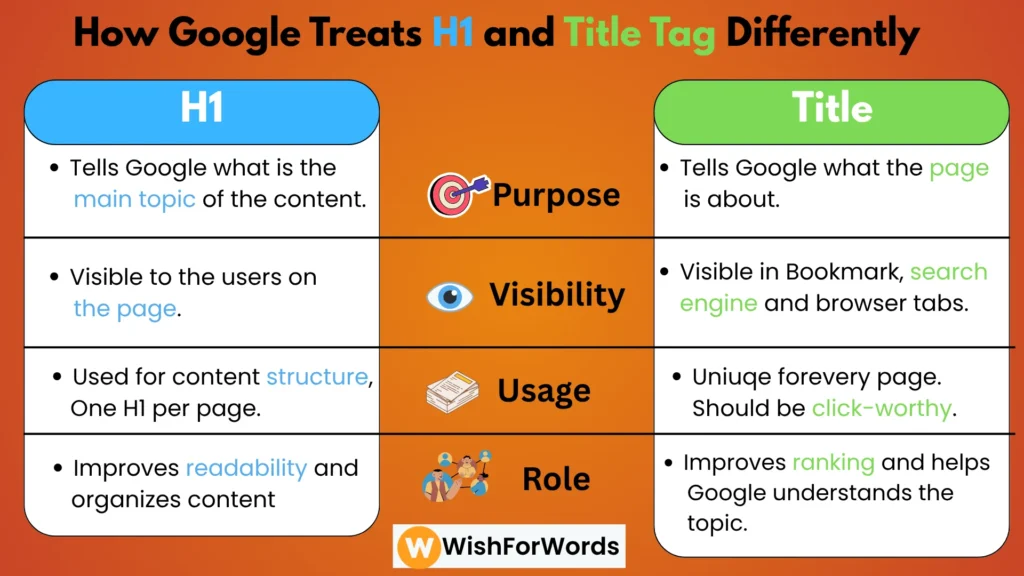
After understanding what the blog post is about, it will move to H2 and H3 to know how the subtopics support the main title. So, just because H1 is the most important heading in your blog post doesn’t mean you shouldn’t work on H2, H3, and H4, as they add context to your content.
How to Make Headings (H1, H2, H3) SEO-Friendly?
Use Keywords
Make sure to use either keyword or keyword’s intent in your heading, at least in the H1. When you use either of the two in your heading, it makes your topic laser-focused for Google, and it even helps the search engine understand the hierarchy of your topic. But use it only once in your heading.
Now, there are situations where you can’t use a keyword as it doesn’t fit naturally in the heading. In such a case, you can use the keyword’s intent. For example, if the keyword is “running shoes original”, the intent behind it would be “branded running shoes” or “original running shoes”. You can include this intent as well.
When you use keywords in the headings, it also improves keyword relevance and signals Google which keywords are most important in the blog post.
Build a Proper Structure
As we have discussed before, Google loves structured blogs. But how do you provide a proper structure to your blog post using headings?
Start with the blog title and give it an H1 heading. Include the introduction of the blog post under H1, and then begin with the topic’s core part. Whichever heading falls under the H1 needs to be assigned the H2 tag; if there are subtopics under the H2 tag, they should be assigned the H3 tag, and so on.
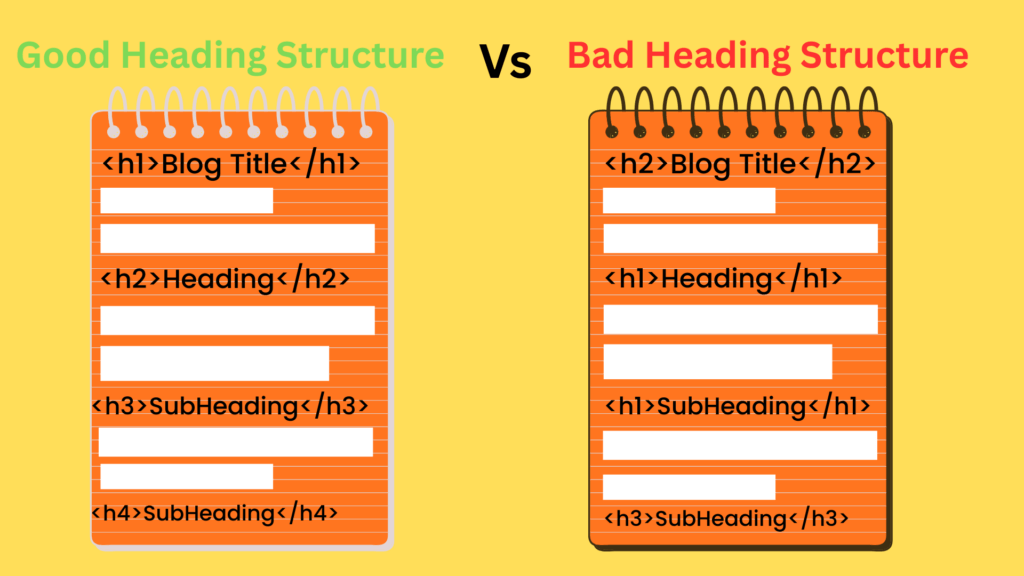
Publish two exactly the same contents, but one with headings and another one without headings. You will always see Google prefer the structured blog post over the headlineless one because of its ease of understanding, scanning, and indexing.
Choose the Right Placement
Where you put the heading in your blog post has a direct impact on your content’s overall performance. But the good news is that there is some flexibility in the placement of headings in a blog post.
It is always recommended to place the heading at the top of your blog page in a larger font, as it makes it stand out from the rest of the content for Google. But if there is a hero section on your blog page and then the blog appears, there is no issue with it. But make sure the heading has an H1 tag.
If possible, always keep the H1 tag above the rest of the content in the blog post. This makes the blog post’s topic, relevance, and context crystal clear to the search engine.
Keep H1 and Title Tag Different
The title tag is what appears in the search engine result, and the H1 tag appears above the blog post when someone opens the page. If you are not making any changes to both these tags, most CMS keep them the same. But there should be a slight variation in both of them.
If your title tag is “How to Optimize Heading Tags for SEO”, you can change your H1 to “How to use H1, H2, H3 tags”. This makes your blog post relevant for both “heading tag optimization” and “use of H1, H2, H3 tags”. So, you get a wider space to use more keywords without worrying about keyword stuffing.
Heading Mistakes That Can Hurt Your SEO
- Repeating H1
Never repeat H1 in a single blog post. By marking the blog post title as H1, you made it clear to Google that this is the heading and the most important part of your content. Now, if you repeat it, Google will get confused about the topic’s relevance and title.
- Keyword Stuffing
Never use the keywords more than once in any heading, whether it’s H1, H2, H3, or H4. Google is smart enough to distinguish between natural keyword use and keyword stuffing. Keep it natural and use it once in any heading.
- Long Headings
The H1 shouldn’t be longer than 60 characters, and in some cases, you can go up to 70. Anything longer than that reduces keyword relevance, search snippet clarity, and worsens the user experience. All of this can negatively impact your SEO.
- Over Optimization
Although it’s a good practice to optimize your headings for search engines, sometimes writers end up over-optimizing their headings. This leads to unnatural and irrelevant headings. Always keep the user experience in mind while optimizing headings.
- No Search Intent
Many SEO writers craft the heading of their blog post without any clear understanding of the search intent. If your keyword’s search intent is commercial, and you write your heading with an informational intent, it will never reach your audience.
Conclusion
Headings can make or break your blog post’s SEO. It all depends on how you craft your heading, how much optimization you have done, and how well you know Google and your audience. When creating a heading, you should balance the needs of both the reader and the search engine algorithm.
There are some common mistakes SEO writers make while writing headings. Although these common mistakes might look negligible, they can have a huge impact on the blog post’s ranking and traffic. So, make sure to turn the headings of your blog post into your content’s superhero, not a villain.
FAQs
What is the difference between H1, H2, and H3?
H1 is the main title of your blog post that usually appears at the top of your content. H2 is the heading inside a blog post body that divides it into sections. And H3 is the heading used as a subsection under the H3 tag.
Is it necessary to have keywords in H2, H3, and H4 tags?
You should never use the keyword in all your headings. Google knows natural keyword placement and forced keyword placement. Also, repeating keywords in all your headings will make your blog post look robotic and degrade the user experience. Rather, follow this rule-
- H1- Keyword placement
- H2- Keyword or keyword’s intent placement in a single H2, and all other headings should have a subtopic that supports the main title.
- H3- No keywords, only subtopics.
What if I don’t use H1 for a blog post?
Not using H1 for a blog post doesn’t mean the death of your content. Your blog might still perform, but-
- Google will have a hard time understanding the topic of your blog post
- The blog’s readability will be reduced because of no clear structure
- Skimming will be difficult because of no section division, and thus, the bounce rate might increase
- You will lose keyword relevancy, topic clarity, and the benefits of semantic SEO
So, rather than making your blog post difficult to rank and be read, it is always a better practice to use H1.